Service 03 / 06
Custom software
Portals, dashboards and tools built around how your business actually runs.
Sydney-based. Working Australia-wide.
Illustration: a business dashboard assembles itself from a pencil sketch. Data from spreadsheets and inboxes flows into one database, and the dashboard fills with live numbers, a chart and a list of jobs.
Try itChange the data. Every screen follows.
One database, so everyone sees the same numbers.
Custom software
What you get
Off-the-shelf software works until your business stops fitting it. I do custom software development in Sydney for businesses that have outgrown spreadsheets, or whose process is too specific for a standard tool.
Customer portals, subscription platforms, dashboards, CRMs and internal tools: built around how you actually work, in your accounts, with the code yours to keep.
- Customer portals
- Subscriptions and memberships
- Dashboards and reporting
- CRMs and internal tools
- Integrations and APIs
How it fits together
One source of truth
Most businesses have the same information in three places, and none of them quite agree. Custom software puts it in one, then gives each person the screen they need.
- 01
Spreadsheets
Numbers kept by hand, every copy slightly different.
- 02
Inboxes
Requests and updates buried in email threads.
- 03
One database
One place for the data, with clear rules about who can change what.
- 04
Portal or dashboard
The screens people use: a customer portal, a live dashboard, an admin tool.
- 05
Your team
See current numbers and jobs without asking around.
- 06
Your customers
Log in and see their own orders, documents or account.
§ 01
When off-the-shelf stops fitting
Plenty of problems don’t need custom software. A good off-the-shelf tool, set up well, is quicker and cheaper. If that’s your situation, I’ll say so.
Custom starts to make sense when:
- You’re working around the tool more than with it
- The same data lives in several places and never quite agrees
- Your process is your advantage, and a generic tool flattens it
- You’re paying per seat for features you don’t use
- Customers need to log in and see their own information
§ 02
Portals and subscriptions
Both are custom web applications: software that runs in the browser, so there’s nothing for your customers to install. A customer portal is a private area where they log in to see their own orders, documents, bookings or account. A subscription platform adds recurring payments, plans and rules about who gets access to what.
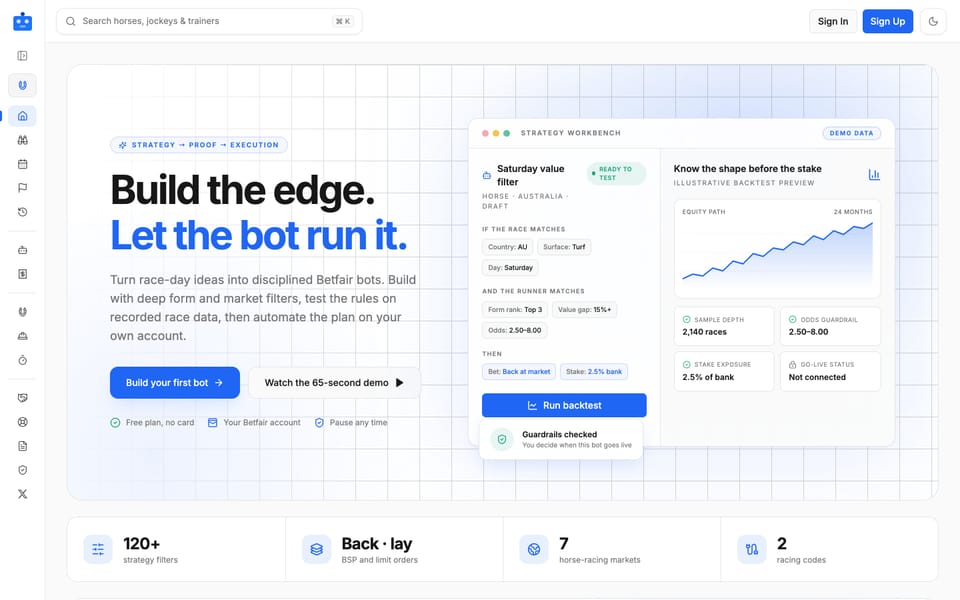
I build the login, payments, plan limits, emails and the admin tools you need to run it. Robo Punter, my own product, is a subscription platform with tiers, usage limits and notifications, so I’ve dealt with the awkward parts myself.
§ 03
Dashboards
Dashboard development is about putting the numbers you check every morning in one place: sales, jobs, stock, costs. It’s live, not a spreadsheet someone updated last Friday.
I start by asking which decisions you make from the numbers, then build only what helps with those. Fewer charts, more answers.
§ 04
CRMs and internal tools
Custom CRM development means a system that tracks leads, customers and jobs the way your business really works, not the way a generic template assumes.
Internal tools handle what staff currently do in spreadsheets and inboxes: approvals, rosters, quotes, stock checks. Each one is small, quick and connected to your other systems, with permissions so people only see what they should.
§ 05
How a build runs
I keep builds in small stages, so you’re reacting to something real rather than a long document.
Scope
A call and a short written outline of what the first version must do, and what it doesn’t need to.
Prototype
A clickable version early, so you can see how it will feel to use.
Build in stages
Working software at regular points, with room to change direction.
Launch and handover
Live, documented and in your accounts, with support afterwards if you want it.
Problem, then fix
Sounds familiar?
The problem
The business runs on spreadsheets only one person understands.
What I’d do
One database with a simple screen on top, so the answer isn’t locked in someone’s head.
The problem
Customers keep emailing to ask where things are up to.
What I’d do
A portal where they log in and see it themselves.
The problem
Every tool you try is nearly right.
What I’d do
Software shaped around your process, with the parts that work kept and the rest built to fit.
Proof
Software I run myself
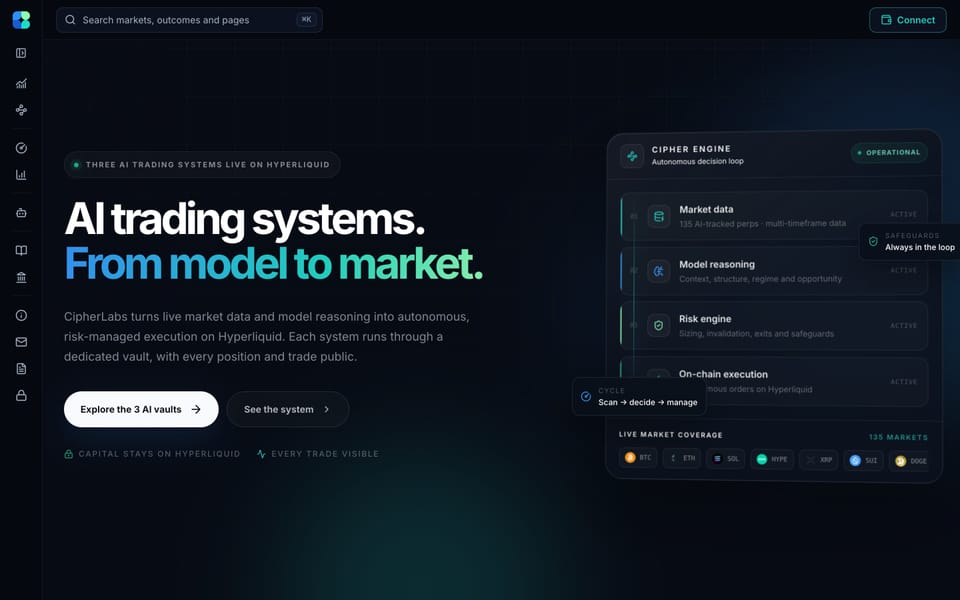
Two systems of my own that run every day, on live data, for real customers.
How much does custom software cost?
It varies a lot with scope, so I don’t quote from a menu. After a short call I write up what the first version needs to do and give a fixed quote for it, paid in three stages: 40% to start, 30% at design approval and 30% at launch.
Do I own the code?
Yes. The code, the database and the hosting accounts are set up in your business’s name, and I’m added as a team member.
What do you build it with?
Mainstream, well-supported tools. My own products use React, TypeScript and Supabase. I choose based on what can be maintained afterwards and I explain each choice in plain English.
Can it connect to the tools I already use?
Usually, yes: payments, accounting, email and booking tools. An API is a way for two systems to talk to each other, and I check what yours allows before I quote.
Can you take over software someone else built?
Often. I review the code and set-up first, then tell you honestly whether it’s better to fix it or rebuild.
Who looks after it once it’s live?
I can, on a monthly arrangement, or I can hand it to your team with documentation. Your call.
Get in touch
Tell me about the problem.
Describe what you do today and where it hurts. I’ll reply within one business day with next steps or a few questions.
or email kagan@kaganpowell.com.au